Record. Then just ask.
An AI video editor that runs on your own ChatGPT account.
Turn raw screen recordings into studio-grade demos by simply asking.
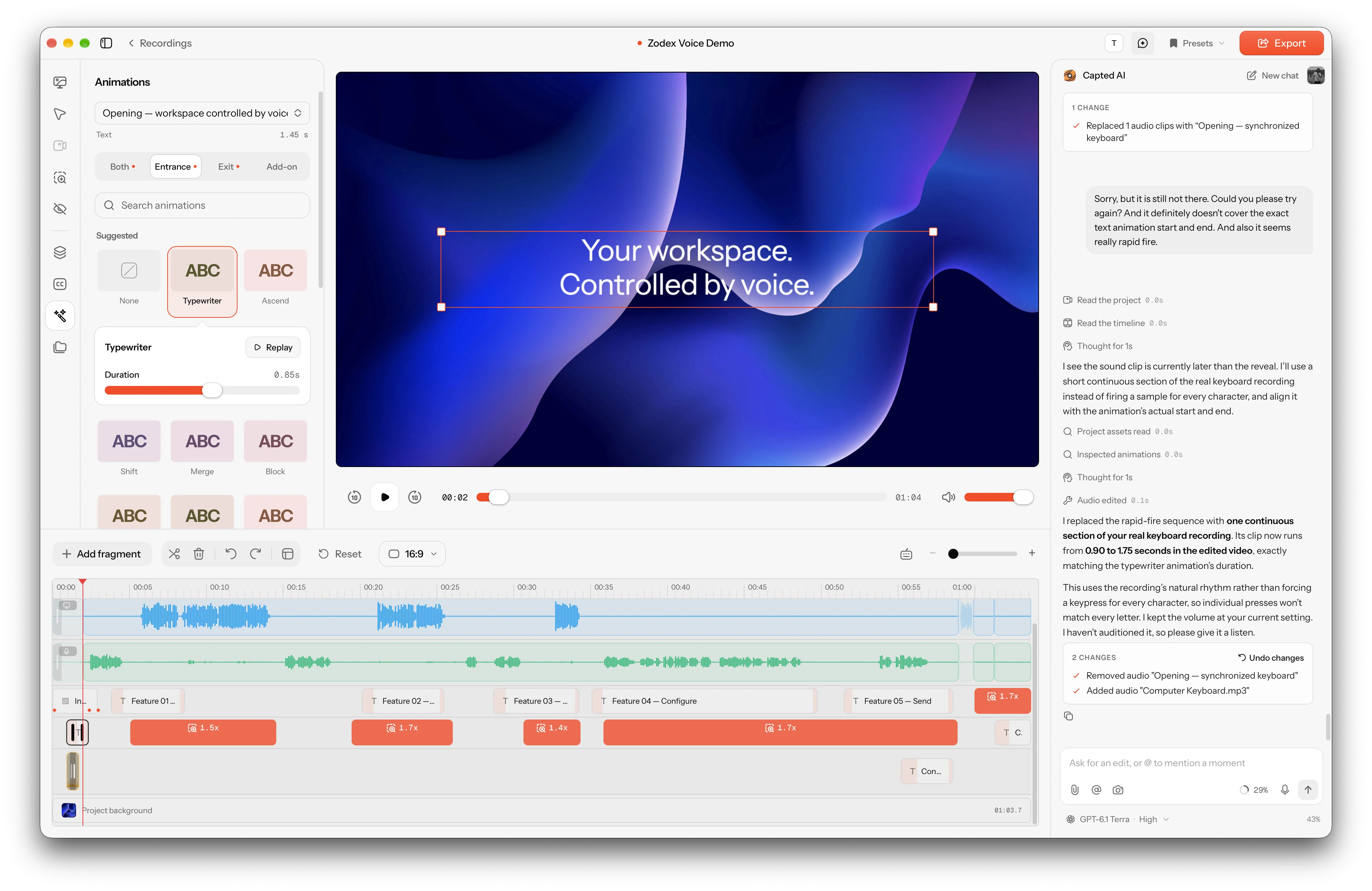
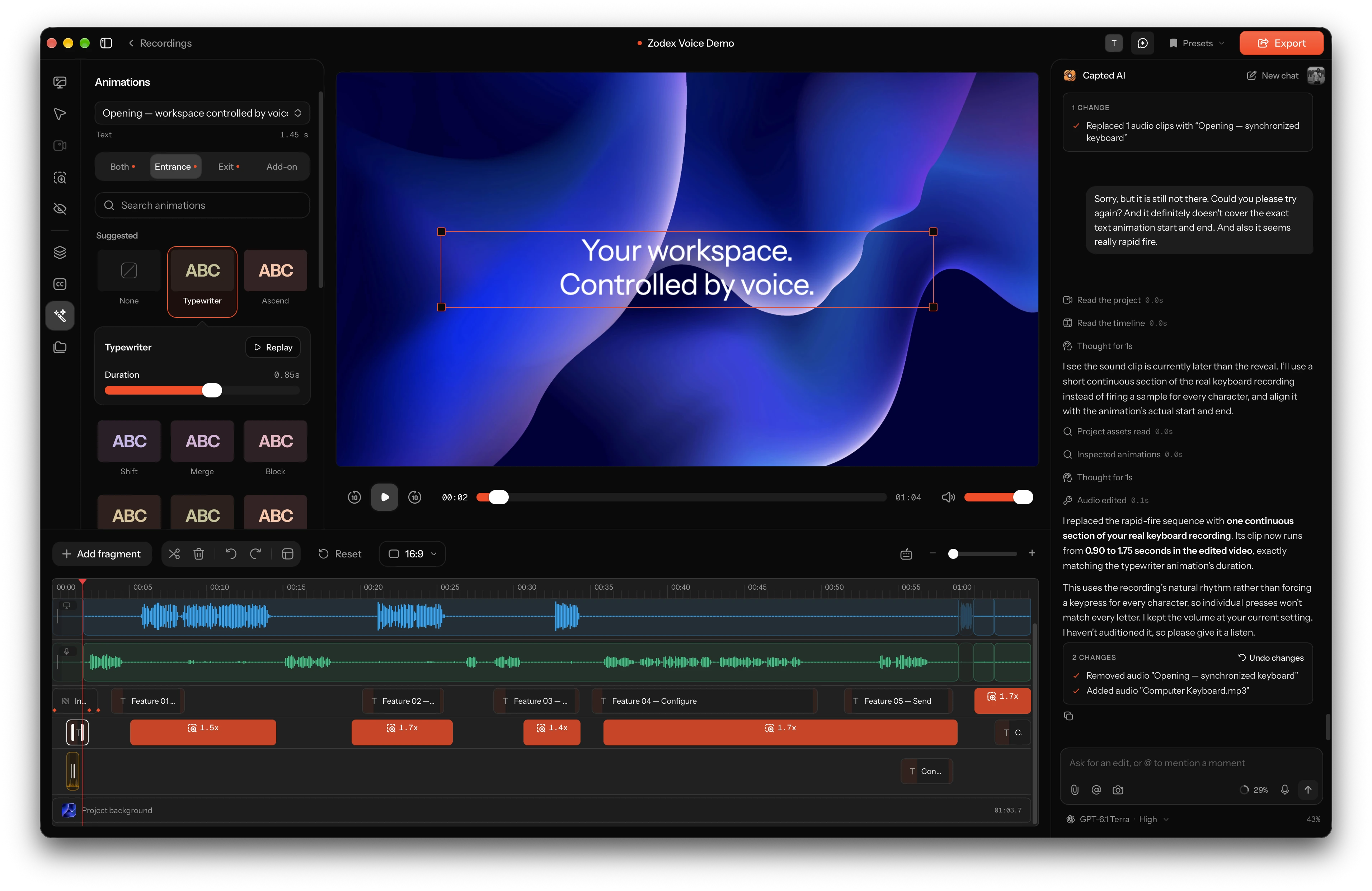
Capted pairs a non-destructive timeline with an editing agent, so you can fine-tune spring zoom, motion layers, and captions by hand, or just type what you want changed.
More than a recorder.
An AI studio from first take to final cut.
Capture raw telemetry once, then let your editing agent and non-destructive timeline do the heavy lifting.
Record your Mac, iPhone, or iPad, or start from a blank canvas
Talk to your video with your own ChatGPT account
Layer text, 40+ animations, synced audio, and camera zooms
10 aspect ratios, on-device captions, and 4K 60fps export
A Canva-like stage.
Over 40 animations built in.
Start from a screen recording or a blank canvas. Stack text, shapes, spotlight callouts, images, and videos, then animate any layer or clip with one click.
Animations Card 1: 40+ Text, Shader & Add-on Presets (animations-01-presets.mp4)
Video showcasing the Animations inspector switching between Entrance, Exit, and looping Add-on tabs, previewing Typewriter, Block, Ascend, Burst, Chroma wave, Old TV, Brush, and Pulse on canvas layers.
Kinetic text, shader reveals, and looping add-ons
Pick Entrance, Exit, and continuous Add-on presets like Typewriter, Block, Ascend, Burst, Bounce, Chroma wave, Old TV, Brush, Ink, Sketch, Neon, Pulse, and Wiggle.
Animations Card 2: Multi-Layer Stage, Callouts & Coordinate Spaces (animations-02-layers.mp4)
Video stacking Text, vector Arrows, Shapes, cropped Video layers, and spotlight Callouts that dim the outside screen, pinned to Recording space so they track seamlessly through camera zooms.
Pin layers to Stage, Recording, or Cursor space
Add text, vector arrows, shapes, cropped video layers, and spotlight callouts that dim the background. Lock them to your recording so they track through camera zooms, or float them on the stage.
Animations Card 3: Blank Canvas Mode & Saved Look Presets (animations-03-canvas-presets.webp)
Screenshot of starting a standalone Blank Canvas project alongside the Appearance & Saved Presets panel with multi-stop gradients, wallpapers, padding, corner rounding, and background blur.
Blank canvas projects and saved Look presets
Create standalone 16:9, 9:16, or 1:1 motion videos with no screen recording required. Save your custom gradients, wallpapers, padding, corner radius, and shadows as reusable Presets.
Synced sound, on-device captions,
and camera choreography.
Every visual beat has matching audio, word-accurate subtitles, spring-smoothed camera zooms, and expressive pointer physics.
Studio Card 1: Animation-Synced Audio, Procedural SFX & CC0 Sound Library (studio-01-audio-sfx.mp4)
Video syncing keyboard typing audio to every character reveal of a Typewriter text animation, generating procedural Whoosh/Pop SFX on-device, and searching the built-in CC0 sound library.
Animation-synced audio, procedural SFX, and CC0 sound search
Sync typing audio to every character reveal of a Typewriter animation, synthesize multi-voice Whoosh, Pop, Click, and Riser SFX on your Mac, or search the built-in CC0 sound library.
Studio Card 2: 12-Language On-Device Captions & Volume Automation (studio-02-captions-audio.webp)
Screenshot of on-device captions with active spoken-word highlighting alongside the audio timeline showing 0%–200% volume automation points and Enhance Voice denoise/leveling.
On-device captions in 12 languages and volume automation
Generate local subtitles with spoken-word highlighting, shape audio with up to 16 volume automation points (0% to 200%) per clip, and clean up narration with one-click Enhance Voice.
Studio Card 3: Click-Suggested Zooms, Shrinking Face Cam & Cursor Physics (studio-03-camera-cursor.mp4)
Video showing click-suggested spring zooms easing the face cam smaller into the corner, paired with velocity-sway cursor motion blur, Tahoe pointer styles, and Ripple/Spotlight click effects.
Click-suggested zooms, auto-shrinking face cam, and cursor physics
Auto-generate spring zooms from your clicks while your face cam eases smaller out of the way. Smooth pointer paths with velocity sway, motion blur, Tahoe styles, and Ripple, Spotlight, or Echo clicks.
An agent that sees your frames
and builds custom graphics.
Capted AI inspects rendered frames, transcribes speech to cut pauses and filler words, choreographs animations and synced audio, and compiles custom TypeScript motion components.
AI Card 1: Connected ChatGPT Account, Voice Dictation & @Mentions (ai-01-chatgpt.webp)
Screenshot of Capted AI signed in with ChatGPT showing model & reasoning selector, voice dictation, live message queue/steering, and @playhead / @Clip / @Zoom / @Blur mentions.
Powered by your own ChatGPT account. Zero API keys
Sign in with ChatGPT in one click. Dictate requests by voice, point at exact moments with @playhead, @Clip, @Zoom, or @Blur, and steer active turns or queue follow-ups while your agent works.
AI Card 2: AI-Generated Custom Motion Components (components-01-define.mp4)
Video asking Capted AI to build an animated revenue counter and callout card, watching `define_component` compile and validate it in the sandbox, and tweaking its generated inspector controls.
Ask for a graphic. Get a sandboxed component with controls
Ask for an animated counter, comparison card, or callout. Capted AI writes and validates a deterministic component on the fly and exposes editable text, number, and color controls in the inspector.
AI Card 3: Silence Cleanup, 9:16 Shorts Reframing & Synced SFX (components-02-cleanup-shorts.mp4)
Video asking Capted AI to cut pauses and filler words from the transcript, reframe the project into a vertical 9:16 Short, and synchronize keyboard audio to a Typewriter title.
Cut silences, reframe for 9:16 Shorts, or animate by asking
Ask the agent to transcribe and remove filler words, convert a desktop recording into a vertical Short, sync sound effects to text entrances, or research facts with built-in web search.
AI Card 4: #skills & Rendered Frame Verification (components-03-skills.webp)
Screenshot of the AI composer with #motion-design, #motion-vocabulary, #data-storytelling, and #scene-review skills attached, showing `render_frames` inspecting the canvas for readability.
Guided by #skills and verified on rendered frames
Attach built-in skills like #motion-design, #motion-vocabulary, #visual-design, #data-storytelling, and #scene-review, or import any SKILL.md from GitHub. The agent renders frames to verify layout before finishing.
Simple pricing. No subscriptions.
Pay once, yours for good. Connect your own ChatGPT account with zero token markups and no recurring fees.
Pay once. Yours for good.
- Lifetime license with free updates included
- AI editing agent powered by your own ChatGPT account (no API keys)
- 40+ layer & shader animations, AI custom components, and #skills
- Record Mac displays, windows, regions, iPhone/iPad, or start on a blank canvas
- Animation-synced audio, procedural & CC0 SFX, 12-language captions & spring zooms
- All projects stored locally on your Mac with up to 4K 60fps export
Questions & Answers
If you have any other questions, please get in touch